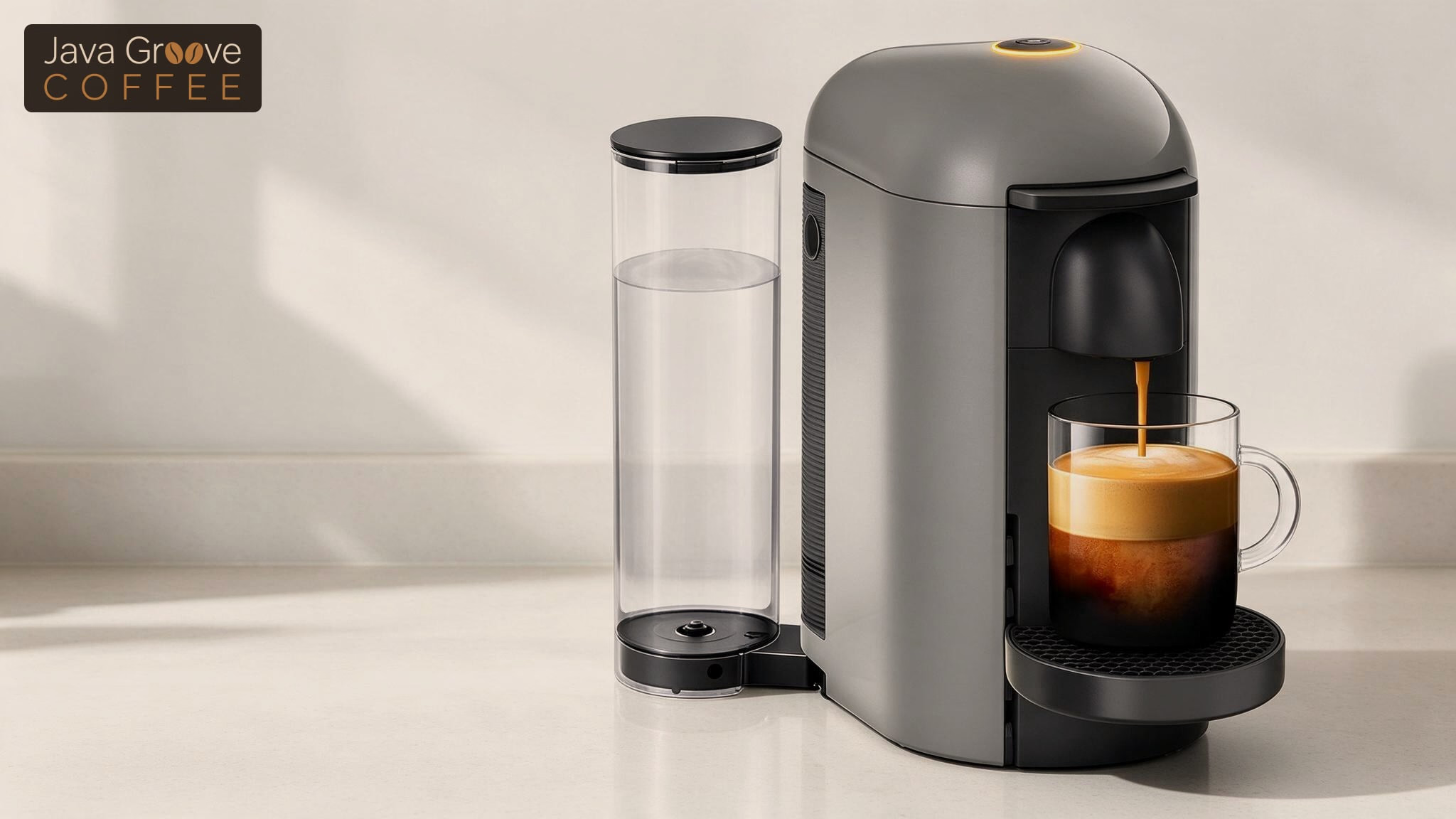
A red and yellow light almost always means one thing: your VertuoPlus wants to be descaled.
Already descaled and the light is still on? The fix is right below the light decoder.
Other colors and blink patterns mean different fixes, and they differ by machine. Pick yours below to see what the light means and what to do.
Light decoder
What Your Nespresso Light Means
Pick your machine, then the light you see. The fix shows below.
Fix it at home
What it means: Descaling alert. Nespresso's manual calls it half red, half green, and says the green half can look yellow. You can brew a few more coffees, then descaling becomes mandatory.
How to fix it
- Turn the machine off: hold the lever down for 3 seconds.
- Fill the tank with 1 packet of Nespresso descaling solution and 17 oz of water.
- Hold the button and lever down together for 3 seconds. The light turns steady orange.
- Press the lever down once, set a 27 oz container under the spout, then press the button.
Beyond the manual: Light still on after descaling? Run a water-only descaling cycle, then hold the button and lever for 8 seconds.
Nespresso Descaling Kit, 2 packetsCheck Price on Amazon
See all 12 descaling stepsTry this, then call Nespresso
What it means: Device error.
How to fix it
- Turn the machine off and unplug it.
- Wait 15 minutes for it to cool down.
- Plug it back in and turn it on by pressing the lever down.
- Still red: call Nespresso's Vertuo line at 1-877-964-6299.
Normal, nothing is broken
What it means: The machine overheated and is cooling down. It goes back to steady green by itself.
What to do
- Leave it switched on and wait for steady green.
Fix it at home
What it means: Something is blocking the head.
How to fix it
- Remove the obstacle.
- Empty the used capsule container.
- Open or close the head.
Fix it at home
What it means: The water tank is empty or there is no capsule.
How to fix it
- Fill the water tank.
- Eject the old capsule and insert a fresh one.
Fix it at home
What it means: The head is stuck in an unknown position.
How to fix it
- Press the lever up and wait for the head to stop moving.
- Clear any obstacle and empty the capsule container.
- Press the lever down.
Fix it at home
What it means: An error happened during descaling, emptying or a factory reset.
How to fix it
- Open the head and eject the capsule.
- Restart the function. If you were emptying the system, remove the water tank.
Normal, nothing is broken
What it means: You are in the Special Functions menu. Pick a function within 2 minutes or the machine goes back to ready.
What to do
- Press the lever once for descaling, twice for emptying, 3 times for factory reset.
- To leave the menu, hold the button and lever down together for 3 seconds.
Normal, nothing is broken
What it means: Descaling, emptying or a factory reset is running.
What to do
- Let it finish. Descaling takes about 20 minutes.
- To exit, hold the button and lever down together for 3 seconds, until the light turns green.
Try this, then call Nespresso
What it means: Error.
How to fix it
- Unlock the lever, open the head and check the capsule is fresh and undamaged.
- Lock the lever and make sure the water tank is filled.
- Unplug for 10 seconds, plug back in, close the head and press the button.
- Still blinking: do a factory reset. Leave the lever unlocked and press the button 5 times within 3 seconds.
- Still blinking after the reset: call Nespresso at 1-800-562-1465.
Fix it at home
What it means: Nespresso's own help page groups these causes: the lever is unlocked, the water tank is empty, the last capsule was not ejected, the brew unit is blocked, the capsule was not recognized, the machine needs descaling, or an electronic error.
How to fix it
- Lock the lever fully and check the water tank is seated and filled.
- Open the head, eject the old capsule and clear anything stuck.
- Unplug for 10 seconds and restart.
- Still blinking: factory reset, then call Nespresso at 1-800-562-1465.
Beyond the manual: Also try wiping the barcode reader under the head with a damp cotton swab, and by checking that nothing under the water tank stops it sitting flat.
See the factory reset stepsFix it at home
What it means: Descaling alert. The machine still brews a few more times, then descaling becomes necessary.
How to fix it
- Fill the tank with 1 packet of Nespresso descaling solution and 17 oz of water.
- Enter descaling mode with the hold-lock-hold button sequence, then press the button once.
Nespresso Descaling Kit, 2 packetsCheck Price on Amazon
See the descaling stepsFix it at home
What it means: The water tank is empty.
How to fix it
- Fill the tank and push it firmly into place.
Fix it at home
What it means: The machine overheated and is cooling down.
How to fix it
- Hold the button 3 seconds to turn it off, then press it once to turn it back on.
- Wait about 20 minutes for it to cool.
Normal, nothing is broken
What it means: Descaling or emptying is running.
What to do
- Let it finish. Descaling takes about 20 minutes and cannot be interrupted.
- Stuck in this mode: hold the button for at least 7 seconds to exit.
Normal, nothing is broken
What it means: Cleaning mode is running.
Normal, nothing is broken
What it means: A factory reset just finished.
Normal, nothing is broken
What it means: Heating up. The buttons go steady in about 25 seconds.
Normal, nothing is broken
What it means: The machine is in descaling mode.
What to do
- To exit on a Pixie or CitiZ, hold both buttons for 3 seconds.
- To exit on an Essenza Mini, hold both buttons for 5 seconds.
Try this, then call Nespresso
What it means: A fault. Nespresso's manuals say to send the machine for repair or call.
How to fix it
- First try a factory reset: turn the machine off, then hold the Lungo button for 5 seconds.
- Still irregular: call Nespresso at 1-800-562-1465.
Source: Nespresso user manuals, US descaling guides and the Nespresso US help center for the VertuoPlus, Vertuo Next, Vertuo Pop, Essenza Mini, Pixie and CitiZ. Tips marked Beyond the manual are fixes Nespresso does not list.
Red and Yellow Light Still On After Descaling
Most people land here after they already descaled once. Two fixes work. Start with the water-only fix, since it runs plain water only.
The Water-Only Fix: A Plain Water Cycle and an 8-Second Hold
This fix comes from Nespresso phone support, not the manual, and it has cleared the stuck light on VertuoPlus machines for years.
- Empty the tank and fill it about halfway with plain water. No descaling solution.
- Turn the machine off. Hold the button and lever down for 3 seconds, press the lever once, then press the button.
- Let the water run through until the machine stops.
- Add less than half a tank of fresh water and press the button to rinse.
- Hold the button and lever down together for at least 8 seconds. The light starts flashing green after 3 or 4 seconds. Keep holding for the full 8.
- Let the machine rest 10 minutes before you brew.
Two more things help:
- Let it cool: unplug it for a few minutes. A machine can overheat mid-descale.
- Descale again: a neglected machine can take 2 or 3 full descales, a few weeks apart, before the light clears.
This fix is not in Nespresso’s manual. If the light stays on, try Nespresso’s fix below, then call its Vertuo line at 1-877-964-6299.
Nespresso’s Fix: Run the Full Program Again
The program most likely did not finish.
Pressing the button during descaling stops it, and the Special Functions menu drops back to ready if you wait more than 2 minutes to pick a function.
Start again at step 1 of the descaling steps below and let both the descaling and the rinse run to the end. Exit with the 3-second button and lever hold only after the rinse.
If the machine stops and blinks partway through, it may be heavily scaled. Nespresso’s manual says to pause for several minutes, then press the button again to continue.
You need: the Nespresso Descaling Kit, 2 packets, one per descale.
How to Fix the Red and Yellow Light on a VertuoPlus
Run the descaling program from the Special Functions menu.
It takes about 20 minutes. You need 1 packet of Nespresso descaling solution, 17 oz of water and a container that holds at least 27 oz.
Get the descaler: Nespresso Descaling Kit, 2 packets, one per descale.
- Push the lever up to open the head and eject the used capsule. Empty the cup support and the capsule container.
- Push the lever down to close the head.
- Fill the water tank with 1 packet of descaling solution and at least 17 oz of water.
- Turn the machine off: hold the lever down for 3 seconds.
- With the machine off, hold the button and the lever down together for 3 seconds. A steady orange light means you are in the Special Functions menu.
- Press and release the lever once. This selects descaling.
- Set the 27 oz container under the coffee spout.
- Press and release the button once to start. The orange light blinks the whole time, and the solution runs in stops and starts.
- When it stops on its own, empty, clean and rinse the water tank and cup support. Refill the tank with fresh water.
- Press and release the button once to start the rinse. It stops on its own, and the orange light blinks once every 2 seconds.
- Hold the button and lever down together for 3 seconds, or until the light turns green, to exit.
- Let the machine rest for 10 minutes, then wipe it down with a damp cloth.
Do not top up the water tank while the program runs. Nespresso’s guide warns against it.
Red Light Codes on a VertuoPlus
A red light on a VertuoPlus is a warning or an error, never normal use.
- Steady red, machine won’t run: device error. Unplug it, wait 15 minutes, plug it back in and press the lever down to turn it on.
- Red fading in and out: it overheated and is cooling. It returns to green by itself.
- Red blinking once a second, head stopped: something blocks the head. Remove it and empty the capsule container.
- Red blinks twice, then green: the water tank is empty or there is no capsule.
- Red blinks 3 times, then steady red: the head is in an unknown position. Press the lever up, wait for it to stop, clear it, then press the lever down.
- Red blinks twice, then orange: an error during descaling, emptying or reset. Eject the capsule and restart the function.
Orange on a VertuoPlus is normal. Steady orange is the Special Functions menu, and blinking orange means a function is running.
Blinking Orange or Red on a Vertuo Next or Vertuo Pop
The Vertuo Next and Vertuo Pop use orange, not red, for their alerts.
Nespresso’s manuals list only white, orange and turquoise. If your light looks red, match the blink pattern in the decoder above.
The pattern to worry about is two fast orange blinks followed by a long pause. That is an error. Check the capsule, lock the lever, fill the tank, and unplug the machine for 10 seconds. If it keeps blinking, reset it.
Orange and white alternating 3 times before going steady white is the descaling alert. It works the same way as the half red light on the VertuoPlus, and the same Vertuo blue and purple light fixes cover the other colors these machines show.
Blinking Red Fixes That Work
When the machine blinks red with no clear cause, try these three fixes. They are not in Nespresso’s manuals, so unplug the machine before you touch anything inside the head.
- Seat the water tank flat: a charging cable or an uneven counter under the tank can stop the machine from sensing it.
- Clean the barcode reader: the machine reads a code on the rim of each capsule. Wipe the reader under the head with a damp cotton swab when capsules stop being recognized.
- Flush it with no capsule: close and lock the head empty and run water through to clear coffee grounds.
Nespresso’s own help page lists “capsule not recognized” as a cause and suggests running the cleaning cycle twice.
Factory Reset a Vertuo Next or Vertuo Pop
- Plug the machine in.
- Open the head and close it again. Leave the lever unlocked.
- Press the button 5 times within 3 seconds.
- The light blinks orange 5 times, then turns steady white.
Still showing the error after a reset: call Nespresso at 1-800-562-1465.
How to Descale a Vertuo Next or Vertuo Pop
Descaling takes about 20 minutes and cannot be interrupted. The machine only allows it after 30 or more coffees.
You need: the Nespresso Descaling Kit, 2 packets, one per descale.
- Empty the capsule container and drip tray.
- Fill the water tank with 1 packet of descaling solution and 17 oz of water.
- With no capsule inside, close the head and lock the lever. Wait for a steady light, about 30 seconds.
- Unlock the lever. Hold the button about 7 seconds, until the light turns off and then blinks orange quickly.
- Lock the lever, then unlock it again.
- Hold the button about 7 seconds again, until it blinks orange quickly. Do steps 5 and 6 within 45 seconds.
- Lock the lever. A light still blinking orange quickly means you are in descaling mode. If not, start over at step 3.
- Put a container that holds at least 34 oz under the spout. Press the button once to start.
- When the machine goes quiet, empty the container and put it back.
- Rinse the tank, fill it to the top with fresh water, and press the button to start the rinse.
- The light turns steady on its own when the rinse is done. Empty the drip tray and capsule container, then let the machine rest 10 minutes.
Blinking Lights on Essenza Mini, Pixie and CitiZ
Original line machines have no red, orange or yellow alert light. Their Espresso and Lungo buttons blink while heating and go steady when ready, in about 25 seconds.
- Both buttons blinking fast: the machine is in descaling mode. Hold both buttons 3 seconds to exit on a Pixie or CitiZ, 5 seconds on an Essenza Mini.
- Irregular blinking: a fault. Turn the machine off and hold Lungo for 5 seconds to reset it. If it still blinks irregularly, call Nespresso at 1-800-562-1465.
To descale, hold both buttons together with the machine on: 3 seconds on a Pixie or CitiZ, 5 seconds on an Essenza Mini. Use 1 packet of descaling solution in the tank, run it through twice, then rinse with fresh water. It takes 15 to 20 minutes.
You need: the Nespresso Descaling Kit, 2 packets, one per descale.
How Often to Descale a Nespresso
Nespresso recommends descaling every 3 months or every 300 capsules, whichever comes first.
At two capsules a day, 300 capsules lasts 150 days, so the 3-month mark comes first for most homes. An office running 10 capsules a day hits 300 in about a month.
Original line manuals also give cup counts by water hardness:
- Essenza Mini and CitiZ: descale after 300 cups with hard water, 600 with medium, 1,200 with soft.
- Pixie and Inissia: descale after 1,000 cups with hard water, 2,000 with medium, 4,000 with soft.
One kit covers two descales, so two kits cover a year on the 3-month schedule.
Scale builds up in any espresso machine. If you are pulling shots on a different machine too, our guide to making better espresso at home covers the rest of the routine.
Nespresso Descaling Solution
Nespresso tells you to use its own descaling solution. Plenty of owners don’t.
Many owners descale with citric acid, about 20 grams in 500 ml of water, or with De’Longhi’s descaler and cheaper lactic acid descalers, and report no problems. Opinions on vinegar split: some find it too weak to do much, others say it can hurt the machine.
Here is Nespresso’s side. Its US descaling guides say other solutions, including vinegar and store-bought descalers, may damage the machine, and its descaling kit page says never to use vinegar.
If your machine is still under warranty, follow the manual and use the kit. The kit’s active ingredient is lactic acid, and one box holds 2 packets, enough for two descaling cycles.
Buy two boxes if you descale every 3 months. That covers a full year.
When to Call Nespresso or Replace the Machine
Call Nespresso when a light survives a reset and a full descale.
- Vertuo machines: 1-877-964-6299.
- Original line and general support: 1-800-562-1465.
Nespresso lists both lines as open 24 hours a day, 7 days a week.
If your machine is out of warranty and the steady red or error blink keeps coming back, a new entry-level Vertuo can cost less than a repair. The Vertuo Pop+ takes the same Vertuo capsules, so your stock still works. Compare it with the Nespresso machines with a frother if you drink lattes, or browse all our coffee maker reviews.
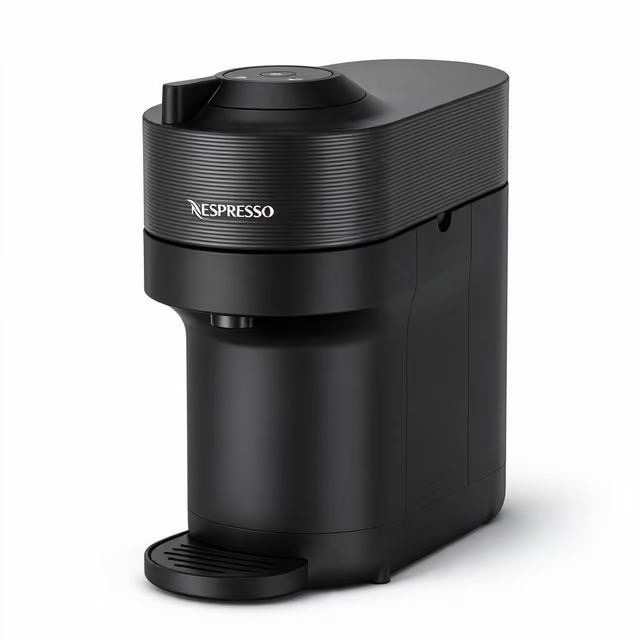
Nespresso Vertuo Pop+
The cheapest current Vertuo, with the same capsules and a descaling alert, for when an old VertuoPlus is not worth fixing.
- Price
- About $100at Amazon
- Heat-up
- 30 sec
- Water tank
- 25 ozside-loading
- Cup sizes
- 5espresso to 12 oz
Pros
- Uses the Vertuo capsules you already have
- Side water tank is easy to refill
- Adjustable drip tray fits bigger mugs
Cons
- Vertuo capsules only, no Original line pods
- No milk frother unless you buy the bundle
Common questions
What does red and yellow mean on my Nespresso machine?
Red and yellow on a Nespresso VertuoPlus means the machine needs descaling. Nespresso's manual describes the alert as half red and half green, and its US help page says the green half can look yellow. The VertuoPlus still brews a few more coffees, then descaling becomes mandatory. The cycle takes about 20 minutes.
How do I reset the descaling light on my Nespresso?
You reset the Nespresso descaling light by running a full descaling cycle. On a VertuoPlus, turn the machine off, hold the button and lever down for 3 seconds, press the lever once, then press the button. Run the rinse, then hold the button and lever 3 seconds until the light turns green.
Why is my Nespresso machine still showing red and yellow lights even after descaling?
A Nespresso VertuoPlus that still shows red and yellow after descaling usually did not finish the full program, so run it again without pressing the button mid-cycle. If that fails, run a water-only descaling cycle, a short rinse, then holding the button and lever for 8 seconds until the light turns green.
Can I descale my Nespresso without descaling solution?
Nespresso says no. Its US descaling guides warn that vinegar or store-bought descalers may damage a Nespresso machine. Many owners use citric acid, about 20 grams in 500 ml of water, or third-party lactic acid descalers without problems. One Nespresso kit holds 2 packets, enough for two descaling cycles.
Why does my Vertuo machine flash red?
A Nespresso Vertuo flashes red or orange to flag a problem: the lever is unlocked, the water tank is empty, the old capsule was not ejected, the brew unit is blocked, the capsule was not read, or it needs descaling. Unplug it for 10 seconds first. If the light keeps blinking, do a factory reset.
How do I get my Nespresso out of descaling mode?
To get a Nespresso out of descaling mode, hold the controls that started it. On a VertuoPlus, press the button and lever down together for 3 seconds until the light turns green. On a Vertuo Next or Vertuo Pop, hold the button for at least 7 seconds. On a Pixie or CitiZ, hold both buttons for 3 seconds.